
A Personal File Upload Service on Azure
I built a small personal file upload service on Azure so I can send files from my own domain, keep storage private, and avoid handing everything to a third-party transfer site.
Every now and then I need to send someone a file that is too large for email, too awkward for a normal cloud drive link, and too personal to hand to whatever transfer service happens to be convenient that day.
WeTransfer is quick, but the link looks like WeTransfer and the storage is not mine. OneDrive and SharePoint are fine inside Microsoft 365, but they are not the cleanest way to send something to an external person without dragging them near a tenant, a permission prompt, or a folder I do not want to think about. Dropbox and Google Drive are similar. They work, but they are someone else's front door.
So I built a small service just for myself.
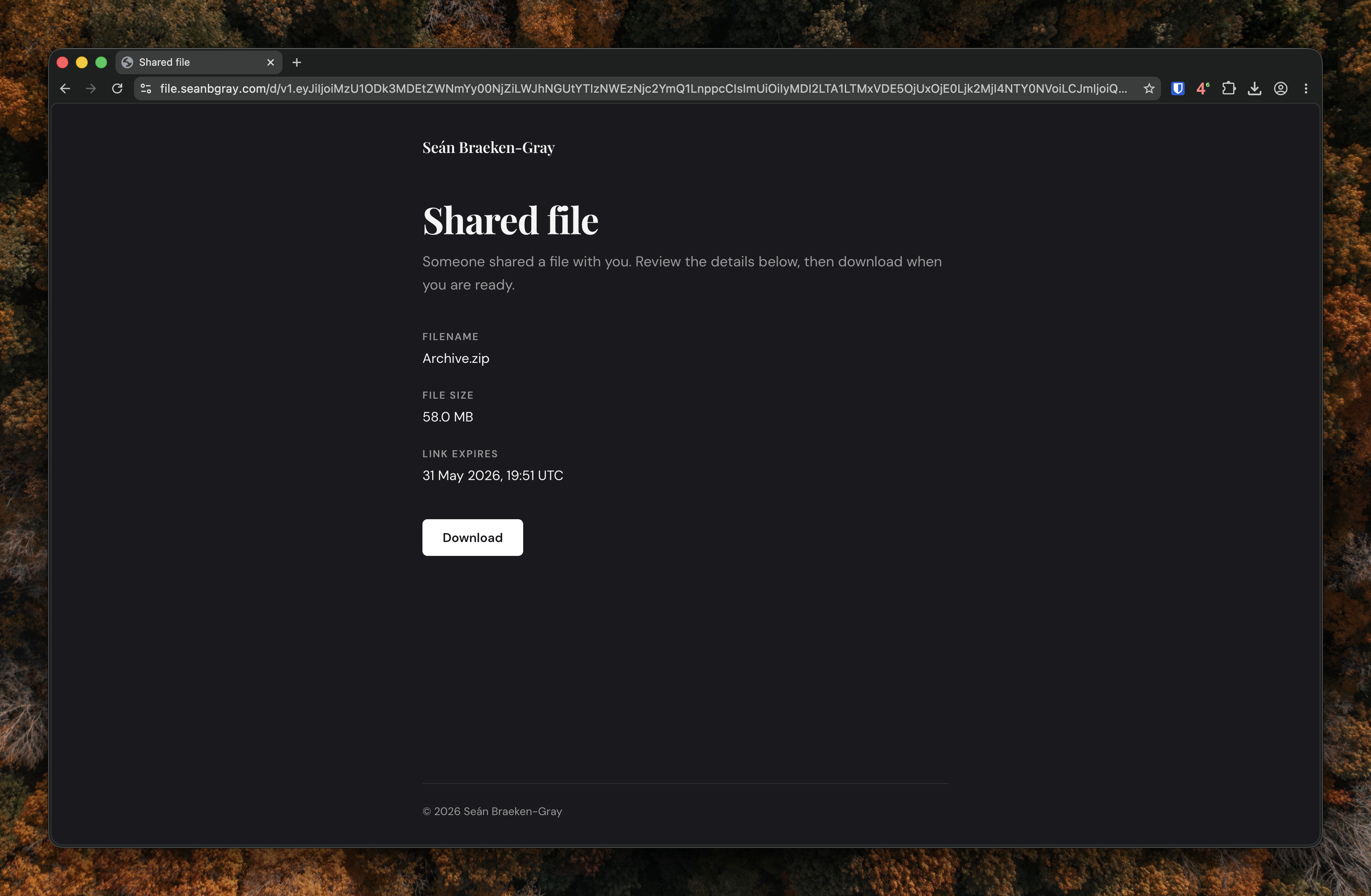
Only I can upload. Recipients get a link on my domain, land on a simple download page, and fetch the file over HTTPS. The files sit in a private Azure Storage container. Links expire. Uploads are signed with my SSH key. For the amount I use it, the running cost is close to nothing.
The Problem
I wanted the storage to be mine. I wanted the link to be on my domain. I wanted the download page to show a clear filename, file size, message, and expiry. I wanted large files to upload without being paywalled off from a third-party site. Expensive on-going costs for just for the occasional upload.
The requirement was not complicated:
- private storage
- direct uploads
- short-lived download links
- a branded handoff page
That led to Azure Blob Storage, Azure Functions, a Go CLI, and a small local web UI.
The Shape of It
The core is deliberately small. There is a private blob container, an Azure Function, and a client that signs requests with my SSH private key.
The Function does not receive the file bytes. It authenticates me, issues a tightly scoped write SAS, records the metadata, and serves the public download page. Blob Storage does the heavy lifting.
The pieces look like this:
| Component | What it does |
|---|---|
| Go CLI | Uploads files, signs API requests, copies the link to my clipboard |
| Local web UI | Gives me drag-and-drop uploads and file management |
| Azure Function | Verifies signatures, issues SAS tokens, serves download pages |
| Blob Storage | Stores the files in a private container |
| Azure Communication Services | Sends recipient emails and download notifications |
The upload path is:
- I run
upload file.pdf. - The CLI sends a signed
POST /api/upload/initrequest with the filename and size. - The Function verifies the SSH signature and returns a write-only SAS for one blob.
- The CLI uploads directly to Blob Storage.
- The CLI sends a signed complete request.
- The Function returns a download link on my domain.
The download path is similar in spirit. The recipient opens the link, the Function validates the token, renders the page, and only issues a read-only SAS when they click the download button.
That division is important. The Function owns trust and presentation. Storage owns the data. The Function app doesn't pass through any data as this would be expensive and unnecessary.
Why Direct Uploads Matter
The tempting version of this service would be a normal upload endpoint. Post the file to the Function, write it to storage, return a link.
That would be simpler to explain and worse to run.
Azure Functions are not where I want multi-gigabyte files passing through. It adds timeout risk, memory pressure, and cost for no real benefit. The Function already knows who I am by verifying the signed request. Once it has decided the upload is allowed, Blob Storage is the right place for the actual transfer.
The write SAS is intentionally narrow:
- create and write permissions only
- one blob name
- HTTPS only
- short lifetime
- no ability to list or read other files
Uploads larger than 4 MB are resumable. If the connection drops, the CLI keeps enough local state to continue while the upload session is still valid. That is one of those details that feels boring until it saves you from starting again.
Upload Auth
The first version used Azure AD. It worked, but I did not want the service tied to an Entra ID account. Uploading a file should not depend on whether my Azure login is current, and I did not want a client secret sitting around for a personal utility.
The current version uses an SSH private key. The CLI signs the method, path, timestamp, and body hash. The Function verifies that signature against the stored public key and rejects old timestamps.
That keeps the upload model simple:
- if you have the private key, you can upload
- if you do not, you cannot
- signed requests expire quickly
- the Function never has to trust an unsigned admin action
The same signing approach covers list, delete, renew, analytics, and email share operations. One key, one authentication model.
The Recipient Experience
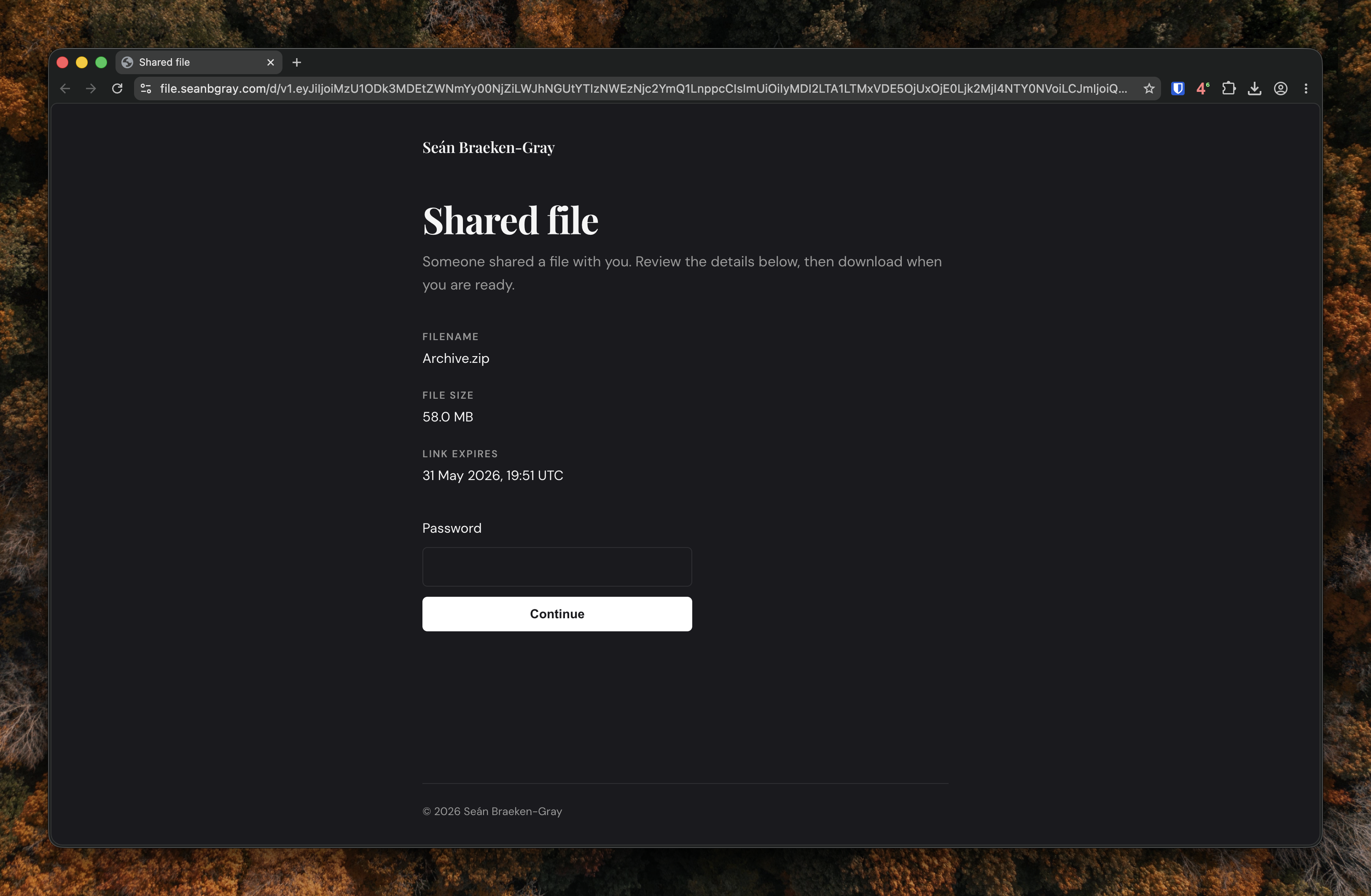
Recipients do not see an Azure blob URL. They see a page on my domain with the filename, file size, expiry, and any note I added when uploading. If I set a password, they enter it there before downloading.
That is a small difference, but it matters. A raw SAS URL is ugly and exposes implementation detail. A branded page is clearer, and it gives me somewhere to handle expired links, missing files, password prompts, and download limits without making the recipient decode an Azure error.
On my side, the CLI does the small quality-of-life things I wanted. It prints the URL, copies it to the clipboard when stdout is a terminal, and saves a QR code PNG to Downloads. If I pipe the output somewhere else, it skips those extras.
Typical usage looks like this:
./upload report.pdf
./upload report.pdf --expires 24h --message "Figures for review"
./upload report.pdf --password 'secret' --max-downloads 1
./upload ./deliverables/ --batch-name "Q1 deliverables"
./upload report.pdf --emails client@example.com
Uploading a folder creates a batch link. The download page lists the files, lets the recipient download them individually, and can also serve everything as a zip. That solved the "here are ten files" problem without sending ten links.
Security Boundaries
The service has a narrow threat model because it is for me, not for a team or a public customer base. I trust my upload key. I assume download links can be forwarded. I want storage private by default, and I want every public link to be limited.
The controls are straightforward:
- upload requests require an SSH signature
- signed upload requests have a short replay window
- files live in a private blob container
- upload SAS tokens are write-only and scoped to one blob
- download links are opaque signed tokens
- read-only SAS tokens are issued only at download time
- passwords are optional
- max download counts are optional
- blobs age out through a lifecycle policy
There is also an intentional escape hatch: rotating the download token secret invalidates existing links. If I ever need a clean break, I can have one.
The Bits Around the Edge
The first version was just upload and download. The useful version has a few more pieces around it.
I can list active files, delete them, renew a link without re-uploading, and see
basic analytics in the local web UI. Azure Communication Services sends links to
recipients when I pass --emails, and it can notify me when someone views a
page, downloads a file, downloads a batch zip, or enters the wrong password.
Those features are not essential to the architecture, but they are what made the tool stick. It moved from "I can upload a file" to "I can use this without thinking about it."
Closing Thoughts
This was a small project, but it is the sort of small project I like: one that removes a recurring annoyance and ends up teaching you something about the platform at the same time.